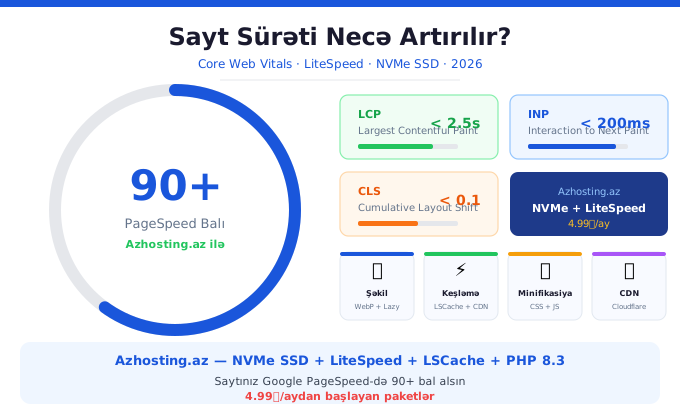
Why Does Website Speed Matter So Much?
In 2026, website speed is not just a user experience issue — it directly affects your Google rankings, conversion rates, and revenue. According to Google research, if a site takes more than 3 seconds to load, 53% of visitors leave. For e-commerce sites, every 1-second delay means a 7% drop in sales.
Since 2021, Google has officially included Core Web Vitals as a ranking factor. A slow site means lower Google rankings.
What are Core Web Vitals?
Core Web Vitals are 3 key metrics Google uses to measure site quality:
- LCP (Largest Contentful Paint) — Good: under 2.5 seconds
- INP (Interaction to Next Paint) — Good: under 200ms
- CLS (Cumulative Layout Shift) — Good: under 0.1
Free Tools to Measure Site Speed
- Google PageSpeed Insights — pagespeed.web.dev
- GTmetrix — gtmetrix.com
- WebPageTest — webpagetest.org
- Lighthouse — Chrome DevTools F12
10 Effective Ways to Speed Up Your Website
1. Choose Quality Hosting — The Most Important Step
60-70% of site speed depends on hosting quality. Azhosting.az hosting packages include NVMe SSD (6x faster than regular SSD), LiteSpeed Web Server (6x faster than Apache), LSCache (reduces load time 10x), and PHP 8.3. View Azhosting.az hosting packages — starting from 4.99₼/month.
2. Optimize Images
Images make up an average of 60% of page weight. Use WebP format (30% smaller than JPEG), enable lazy loading, and use tools like TinyPNG or Squoosh.
3. Enable Caching
Caching saves a static version of your site and serves it without re-processing. For WordPress, use LiteSpeed Cache plugin (works automatically on Azhosting). Also enable browser caching and object caching with Redis.
4. Minify CSS and JavaScript
Remove whitespace, comments, and long variable names to reduce file sizes. Use the Autoptimize plugin for WordPress.
5. Use a CDN
A CDN distributes your static files across servers worldwide. Visitors load files from the nearest server. Cloudflare free plan is sufficient for Azerbaijani sites.
6. Optimize Your Database
WordPress databases grow over time with old revisions, deleted post remnants, and spam comments. Use WP-Optimize plugin for monthly cleanup and limit post revisions in wp-config.php.
7. Enable HTTP/2 or HTTP/3
HTTP/2 allows multiple files to load simultaneously. LiteSpeed supports HTTP/3 (QUIC) — the most modern protocol. HTTP/2 is active by default on Azhosting.az servers.
8. Reduce Plugin Count
Every WordPress plugin adds to load time. Deactivate unnecessary plugins and choose plugins that combine multiple functions.
9. Optimize SSL/TLS
TLS 1.3 is 2x faster for handshaking than TLS 1.2. Azhosting.az LiteSpeed servers support TLS 1.3.
10. Self-host Google Fonts
Host Google Fonts on your server instead of loading from external sources. The OMGF plugin does this automatically.
WordPress Speed Checklist
- LiteSpeed Cache plugin installed and active?
- Images in WebP format?
- Lazy loading enabled?
- CSS/JS minified?
- Cloudflare CDN configured?
- Database optimized?
- Unnecessary plugins removed?
- PHP 8.3 in use?
Fast Website with Azhosting.az
Azhosting.az hosting with NVMe SSD + LiteSpeed + LSCache + PHP 8.3 helps sites achieve 90+ scores on Google PageSpeed. Packages start from 4.99₼/month. View details or contact us.