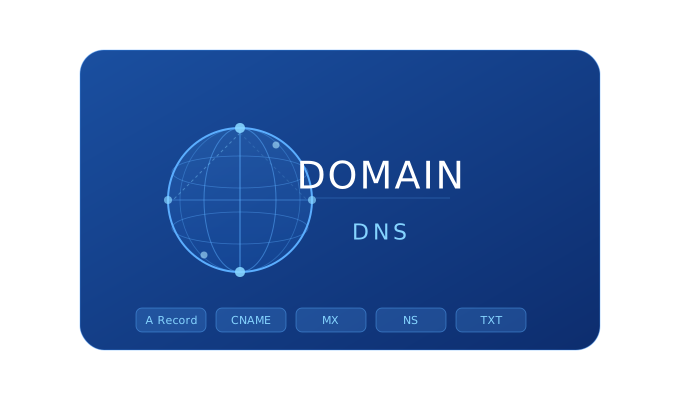
What is a Domain?
A domain is your website address on the internet. Just as every physical location has a street and house number, every website has a unique address — a domain name. For example, azhosting.az is a domain name.
Technically, a domain is a human-readable version of a numeric IP address (like 192.168.1.1). When you type a domain in your browser, the DNS system converts it to the corresponding IP address and directs you to the right server.
Domain Structure
- TLD (Top Level Domain) — .az, .com, .net, .org
- SLD (Second Level Domain) — your chosen name: azhosting
- Subdomain — blog.azhosting.az, mail.azhosting.az
What is DNS?
DNS (Domain Name System) is the internet phonebook. It converts domain names to IP addresses. This process happens in milliseconds.
DNS Records — Complete Guide
A Record (Address Record)
Maps a domain name to an IPv4 address. Most commonly used DNS record. Used to connect your site to hosting — your hosting provider gives you a server IP, and you point the A record to it.
CNAME Record (Canonical Name Record)
Points one domain name to another domain name (not an IP). Used to redirect www subdomain to the main domain, and for verifying Google Search Console, Shopify, MailChimp.
MX Record (Mail Exchange Record)
Determines which mail server incoming emails are sent to. Essential for setting up corporate email. Required when configuring Google Workspace or Microsoft 365.
TXT Record (Text Record)
Stores text information, mainly for verification and email security: SPF (which servers can send email from your domain), DKIM (digital signature), DMARC (policy for SPF and DKIM), and Google/Microsoft verification.
NS Record (Name Server Record)
Shows which server manages your domain DNS. Updated when changing domain registrar or moving DNS elsewhere.
What is TTL (Time to Live)?
TTL determines how many seconds a DNS record is cached. Before making DNS changes, reduce TTL (e.g. to 300), then increase it again after. Smaller TTL means faster propagation but higher server load.
How Long Does DNS Propagation Take?
- Within Azhosting.az: Immediate
- Azerbaijan: 15-30 minutes
- Worldwide: 24-48 hours (maximum)
Check DNS propagation at: dnschecker.org
DNS Management at Azhosting.az
When you register a domain at Azhosting.az, you can easily manage all DNS records through cPanel: add/edit/delete A, AAAA, CNAME, MX, TXT, SRV records, free DNS hosting, instant changes, and 24/7 support. Register your domain at Azhosting.az — .az domains from 40₼/year, .com from 18₼/year.
FAQ
What is the difference between domain and hosting?
Domain is your site address (azhosting.az). Hosting is the server where site files are stored. Both are needed: the domain directs visitors to the server, and the server displays site files.
Can CNAME be used at the root?
No. Use A record for azhosting.az and CNAME for www.azhosting.az. Some DNS providers offer ALIAS/ANAME records — the root-compatible version of CNAME.
How to create a subdomain?
Go to DNS Zone Editor in cPanel and add a new A or CNAME record. For example: blog.azhosting.az → CNAME → azhosting.az.